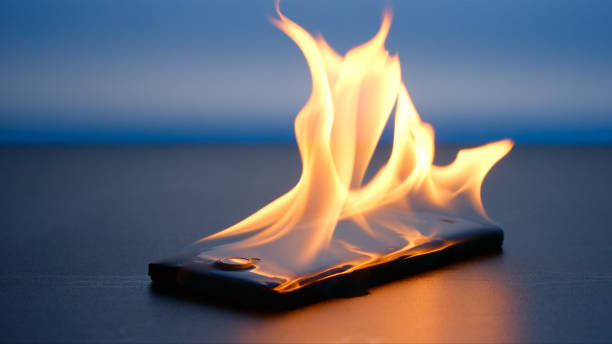
Why is my phone getting hot when i am not using it? 7 causes and fixes
Have you ever picked up your phone after leaving it untouched for a while and wondered, “Why is my phone getting hot when I’m not using it?”
It can be confusing when your phone feels warm even though the screen is off and you haven’t been using any apps. The good news is that some warmth can be normal. Your phone continues performing certain tasks even when you’re not actively using it.
However, if your phone gets hot when not in use regularly, drains the battery unusually quickly, or becomes extremely hot, something may need attention.
In this guide, we’ll look at the most common phone overheating causes, how to stop your phone from getting hot, and when you should be concerned.
Why Does a Phone Get Hot When You’re Not Using It?
A smartphone is a small computer containing a processor, battery, wireless components, sensors, and other electronics.
Even when the screen is turned off, your phone isn’t necessarily completely inactive. It may still synchronize apps, maintain a mobile or Wi-Fi connection, check for notifications, process files, perform backups, or carry out system tasks.
All of these activities use electrical energy, and some of that energy is released as heat.
That’s why your phone can become warm even when you’re not actively using it.
Does a Phone Being Warm Mean Something Is Wrong?
Not necessarily.
A phone can become warm during charging, software updates, gaming, video calls, navigation, or when you’re using it in a hot environment.
The important difference is between normal warmth and unusual overheating.
If your phone occasionally feels warm, there may be nothing wrong. But if you’re asking “why is my phone getting hot?” repeatedly because it becomes very hot while sitting idle, it’s worth investigating.
7 Reasons Your Phone May Be Getting Hot
There are several possible phone overheating causes. Sometimes the reason is simple, such as a hot environment or charging. In other cases, an app, software process, network connection, or battery problem may be responsible.
1. Background Apps and Processes
One of the reasons a phone gets hot when not in use is background activity.
Apps can continue performing certain tasks even when you aren’t actively using them. Messaging apps may check for new messages, cloud services may synchronize files, and other apps may periodically use processing power or network resources.
Most background activity is normal. But an app that gets stuck or behaves incorrectly can consume more power than expected.
What to do: Check your phone’s battery-usage settings and look for an app that is consuming an unusually large amount of power.
2. Poor Mobile or Wi-Fi Signal
A weak cellular or Wi-Fi signal can contribute to phone heating.
Your phone constantly communicates with networks. When the signal is poor, maintaining that connection can require additional power.
This can happen in places such as basements, elevators, remote areas, or buildings with thick walls.
If your phone heating up for no reason seems to happen mainly in one location, check whether that location has poor network coverage.
What to do: Compare your phone’s temperature in areas with strong and weak signals. If the problem consistently occurs where the signal is poor, network activity may be contributing to the heat.
3. Charging and Battery Activity
Charging naturally produces some heat.
Fast charging can also increase the amount of heat generated because the battery is receiving energy at a higher rate. Using the phone heavily while charging can add even more heat.
If you’re wondering why is my phone overheating while charging, some warmth can be completely normal.
The concern is excessive or persistent heat.
What to do: Keep your phone somewhere cool and ventilated while charging, and avoid demanding activities such as gaming while it is charging.
4. Software Updates and Background Tasks
Your phone can perform substantial tasks without you manually starting them.
Operating-system updates, app updates, cloud backups, photo processing, and other system tasks can temporarily increase processor and storage activity.
As a result, you may pick up your phone and find that it is warm even though you haven’t used it.
This type of phone overheating may disappear after the background task has finished.
What to do: If the heating started after an update or backup, monitor the phone for a while and see whether the temperature returns to normal.
5. GPS, Bluetooth, and Other Active Features
GPS, Bluetooth, mobile data, and location services can all require your phone to communicate with networks, satellites, or nearby devices.
Normally, these features shouldn’t make your phone extremely hot. However, continuous activity from an app or service can contribute to battery consumption and heat.
What to do: Check which apps have access to your location and whether any unnecessary features or connections are continuously active.
6. Hot Environment or Direct Sunlight
Sometimes the answer to why is my phone getting hot is simply the temperature around it.
Leaving your phone in direct sunlight, inside a parked car, or somewhere with poor ventilation can cause its temperature to rise quickly.
Your phone also has a harder time getting rid of heat when the surrounding environment is already hot.
What to do: Move the phone somewhere cool and shaded and allow it to cool naturally.
Don’t try to cool an extremely hot phone by putting it in a freezer or placing it directly against ice. Sudden temperature changes and condensation can create additional problems.
7. Battery Aging or Hardware Problems
If your phone is heating up for no reason repeatedly, especially while doing very little, the cause may be more serious.
An aging battery, damaged component, software problem, or other hardware issue can sometimes lead to abnormal power consumption and heating.
Pay particular attention if the heating occurs together with rapid battery drain, unexpected shutdowns, swelling, or physical damage.
What to do: If the problem continues after normal troubleshooting, contact the manufacturer’s support or an authorized service center.
How to Stop Your Phone From Getting Hot
If you’re wondering how to stop your phone from overheating, start by identifying the cause rather than immediately installing a phone-cooling app or using extreme cooling methods.
Try these steps:
- Check battery usage to find apps consuming unusually large amounts of power.
- Restart your phone to stop a potentially stuck background process.
- Update your software to make sure known bugs are addressed.
- Keep the phone away from direct sunlight and hot environments.
- Avoid demanding activities while charging, especially gaming.
- Check your network signal if heating happens mainly in certain locations.
- Check battery health if your phone provides a battery-health feature.
- Remove unnecessary or suspicious apps that may be running excessive background activity.
- Contact professional support if your phone continues overheating without an obvious reason.
These steps can help with common causes, but the appropriate solution depends on what’s actually causing the heat.
When Is Phone Heating Normal?
A phone becoming warm doesn’t automatically mean that something is wrong.
Some situations naturally cause additional heat, including:
- Charging
- Fast charging
- Gaming
- Video recording
- Video calls
- GPS navigation
- Downloading large files
- Installing software or app updates
- Using the phone in hot weather
The important factors are how hot the phone becomes, how long the heating lasts, and what the phone is doing at the time.
A little warmth during gaming or charging is very different from a phone becoming extremely hot while sitting untouched.
When Should You Be Concerned?
If your phone repeatedly overheats without an obvious reason, don’t simply ignore it.
You should pay particular attention if:
- Your phone becomes extremely hot while you’re barely using it.
- The phone gets hot when not in use repeatedly.
- The battery starts draining much faster than usual.
- The phone displays a temperature warning or shuts down.
- The battery or phone body appears swollen.
- You notice a burning or unusual chemical smell.
- The phone has recently suffered physical or liquid damage.
If you suspect that your phone’s battery is damaged or swollen, stop using the device and seek professional assistance. Don’t attempt to open or repair a damaged battery yourself.
Final Takeaway
So, why is my phone getting hot when I’m not using it?
There isn’t always one answer.
Background apps, network connections, charging, software tasks, environmental temperature, and hardware problems can all contribute to phone heating.
Occasional warmth is usually different from persistent or extreme overheating.
If your phone is getting unusually hot while sitting idle, start by checking battery usage, background activity, software updates, network conditions, and the environment around the device.
And if the heating is severe, persistent, or accompanied by rapid battery drain, shutdowns, swelling, or physical damage, don’t ignore it. Get the device checked by a qualified professional.